
Insights from ChartsWatcher
How to Find Unusual-Volume Stocks: A Practical Scanner Workflow
An unusual-volume stock is trading more actively than a chosen baseline. The useful question is not just “How high is volume?” but “Unusual compared with which period, session, and historical sample?” Define that comparison before configuring a scanner.
Reviewed September 17, 2026.
Choose the type of unusual activity
For a short burst of activity, use a candle-based comparison. ChartsWatcher’s relative-volume filter compares the current candle with the average volume of the previous fifteen candles on the selected timeframe.
For a session that is unusually busy so far, examine relative volume at the same time. This compares accumulated volume with what is normally traded by that time. The public description does not specify an exact historical day count, so do not assume a twenty- or thirty-day baseline.
A stock can be busy for the day while its latest candle is quiet. Conversely, a sudden burst can occur during an otherwise ordinary session. These are different research candidates, not inconsistent readings.
Build a simple candidate list
Here is a hypothetical configuration for exploring short-term activity—not a validated trading setup:
| Filter | Illustrative choice | Purpose |
|---|---|---|
| Price | $10–$50 | Define the price range under review |
| Absolute volume | At least 500,000; daily period | Exclude very low total activity in that period |
| Relative volume | At least 200%; five-minute timeframe | Find candles at twice their recent average or more |
In a percentage field, 200% means 2× the baseline, not a 200% increase above it. If the recent average is 25,000 shares and the current candle has 75,000, the reading is 300%, or 3×.
Check the candle’s age before comparing it with completed candles. Also verify session coverage and any built-in eligibility thresholds in the filter documentation.
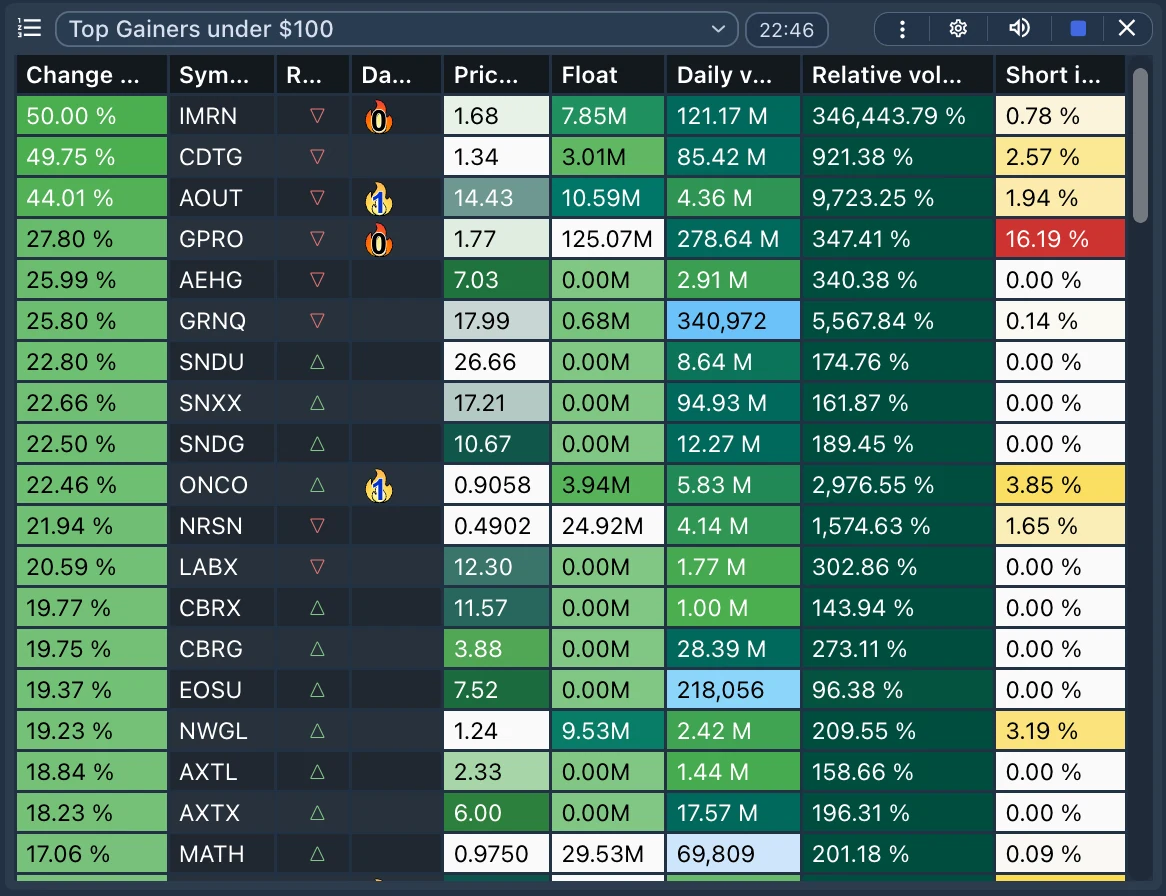
Interface illustration; the example thresholds above are not measured performance results.
Review each match in context
After a symbol appears, check:
- Data and timing: is the price current, and which session produced the activity?
- News: is there a relevant company announcement, filing, or scheduled event?
- Price response: is price extending a range, reversing, or barely moving?
- Execution conditions: what are the spread and available liquidity?
- Persistence: does activity continue, or was it concentrated in a single burst?
High relative volume does not prove that institutions are buying or that news has not yet become public. It can accompany rising prices, falling prices, or indecision. Do not treat a headline’s presence as proof that it caused the move.
Use alerts for events, not as a substitute for review
A toplist helps inspect stocks meeting conditions. An alert is appropriate when you want a specific event reported. For example, volume filters can narrow the stocks eligible for a documented price-crossing alert; a volume filter alone is not an instruction to enter a position.
Read stock price alerts versus scanner alerts before choosing the tool. If nothing appears, use the empty-scanner checklist.
Record settings and rejected candidates as well as interesting matches. Use the backtesting guide to separate historical signal review from a complete trading simulation.
Educational information only. Unusual activity is a research lead, not evidence of a profitable trade.